When you open your inbox, what do you do first? You probably start by scanning your emails, trying to figure out what needs your immediate attention and a response.
The time spent scanning, interpreting, deciding… it adds up. Is this urgent?
Individually, each reply takes a minute. Together, they add up — and they’re the reason a thoughtful follow-up can sit for a week before you get to it.
This week, we’re introducing Auto-Drafts. Now, Spark works continuously in the background — drafting replies before you open your inbox.
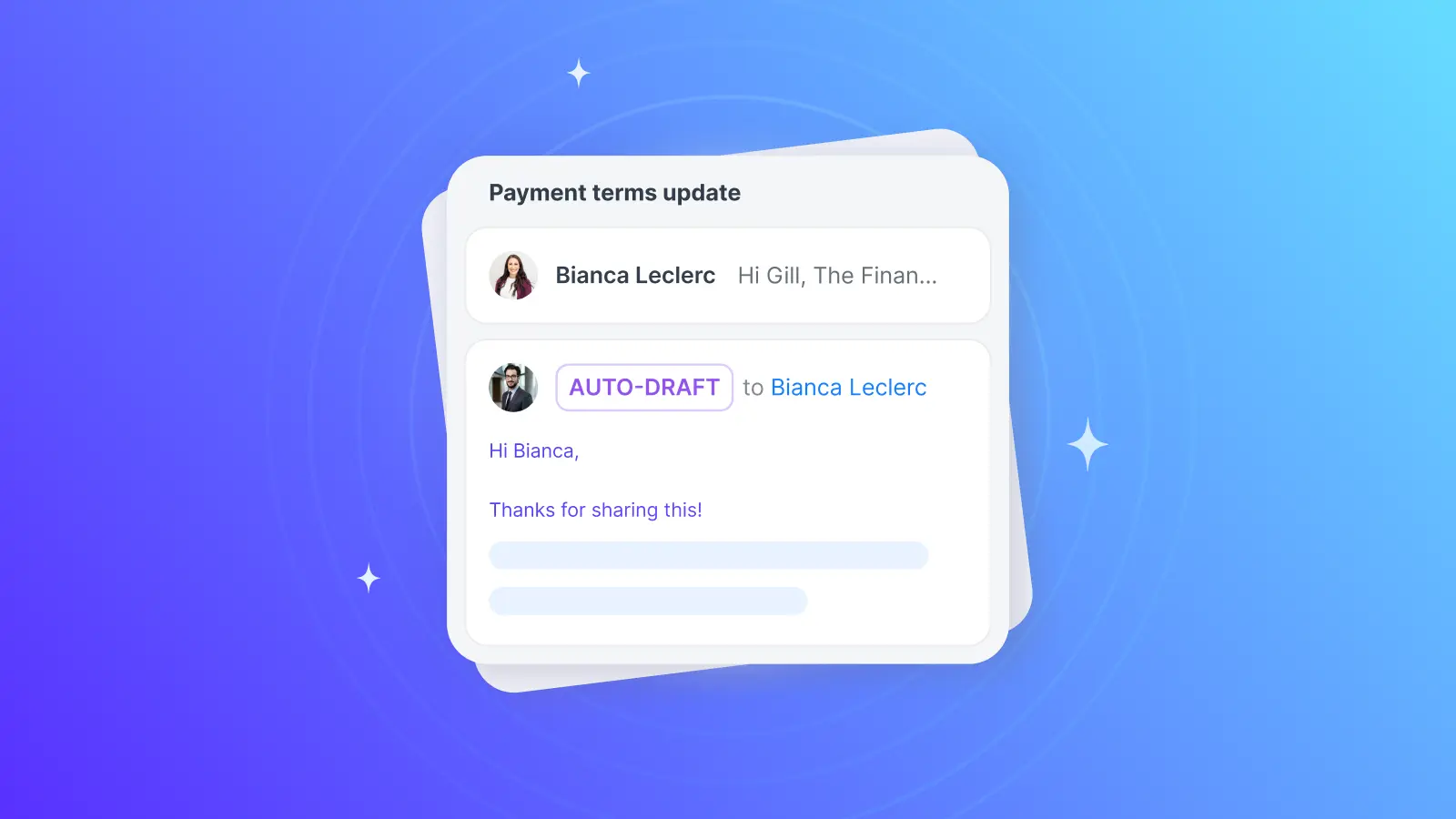
Auto-Drafts detects the emails that need a response and prepares a reply in your voice, so you can focus on reviewing and taking action.
Stop writing routine replies from scratch
Replies compete with other tasks. Throughout the day, the to-dos pile up… and suddenly, it’s a week later and that thoughtful follow-up has somehow slipped.
Auto-Drafts can detect when an email needs a response and draft a reply in your voice — automatically. Just open your inbox (or check out your Drafts folder), and you’ll see a draft ready for your review. Nothing is sent until you’re ready — you can always review and edit first.
It handles the routine replies that can take minutes out of each day: meeting confirmations, quick acknowledgments, and questions you already answered earlier in the thread.
Auto-Drafts already work with every email provider Spark supports — Gmail, Outlook, IMAP, iCloud, and more — because the people who need this most are managing multiple accounts.
A more proactive inbox
When Spark first launched, we wanted to make it easier to see what mattered, filter out noise, and reduce the cognitive overhead of email. New technologies have let us take that further — Spark can now shoulder more of the responsibility without being prescriptive about the workflow.
Auto-Drafts is the simplest entry point: enable it and Spark immediately starts preparing responses, in your voice and with your context, ready by the time you open your inbox.
And for those who want to combine the rich context of their inbox with AI agents and other tools, there's Spark CLI.
They can be used separately or combined, based on your needs. Each one absorbs a little more of the workload so you can focus your efforts on larger priorities.
Available now
Auto-Drafts is gradually rolling out to Spark Pro users across Desktop and iOS. Make sure you're using the latest version of Spark to get access as soon as it's available for your account.
Once available, just open the desktop app and navigate to Settings → Spark +AI → Inbox Automation → Auto-Drafts. To help Spark know your context better and for more relevant Auto-Drafts, enable Personalization in Spark +AI settings. Once enabled, you'll see drafts across all platforms. (New to Spark? Start your seven-day trial to try all of Spark’s advanced features for free.)
Open your inbox already prepared — prepared to focus, respond faster, move on.
 The Spark Team