If you've started using an AI agent like Claude or Codex, you've probably handed it the easy jobs first. Summarizing a long document. Drafting something from your notes. Maybe even tidying a messy folder. Useful, but one-off: You ask, it answers, you move on.
Email is the obvious next thing to point it at — it's where most of your decisions, introductions, and open threads actually live. Spark CLI connects any MCP-compatible agent — Claude, Codex, Cursor, OpenClaw, and others — to every account you've already added to Spark, reading straight from Spark on your Mac. One connection, every inbox, plus your contacts, meeting notes, and calendar.
Say you've connected Spark CLI to your agent. What now? The simplest move is asking a question you couldn't answer before. The most powerful is a routine that runs without you. Here are five ways to start, drawn from real Spark users.
Go beyond simple search
Start here. No setup, no automation, read-only access. Open your agent and ask it something your normal search bar can't express.
Damen Cole, who runs an IT services business, relies on Spark CLI as his “super search” tool. Regular search finds emails from a person or with a keyword. Spark CLI answers questions:
"I can give it much more complicated queries than I could with just the search. Go review this thread and summarize my follow-up reply." — Damen Cole
The first thing he tried was asking his agent to find emails he'd sent that got no reply where one was expected. It surfaced real threads right away — a quote with two options that went silent, an offer of help nobody answered. None had an action item attached, so they'd quietly dropped off his radar. The agent caught them because it can reason over the whole inbox, where a keyword search only matches strings.
Try one of these as your first prompt:
- "Which threads from last week am I still on the hook to reply to?"
- "Show me messages where someone asked me a direct question I never answered."
One question, one answer, nothing to configure. The prompts you run by hand now are the ones you'll automate later.
Catch up on projects, fast
Damen also uses Spark CLI to get back up to speed on a project he juggles alongside a dozen others: the agent reads the thirty-odd emails about it and tells him where things stand. The inbox stops being a pile to dig through and becomes a record he can question.
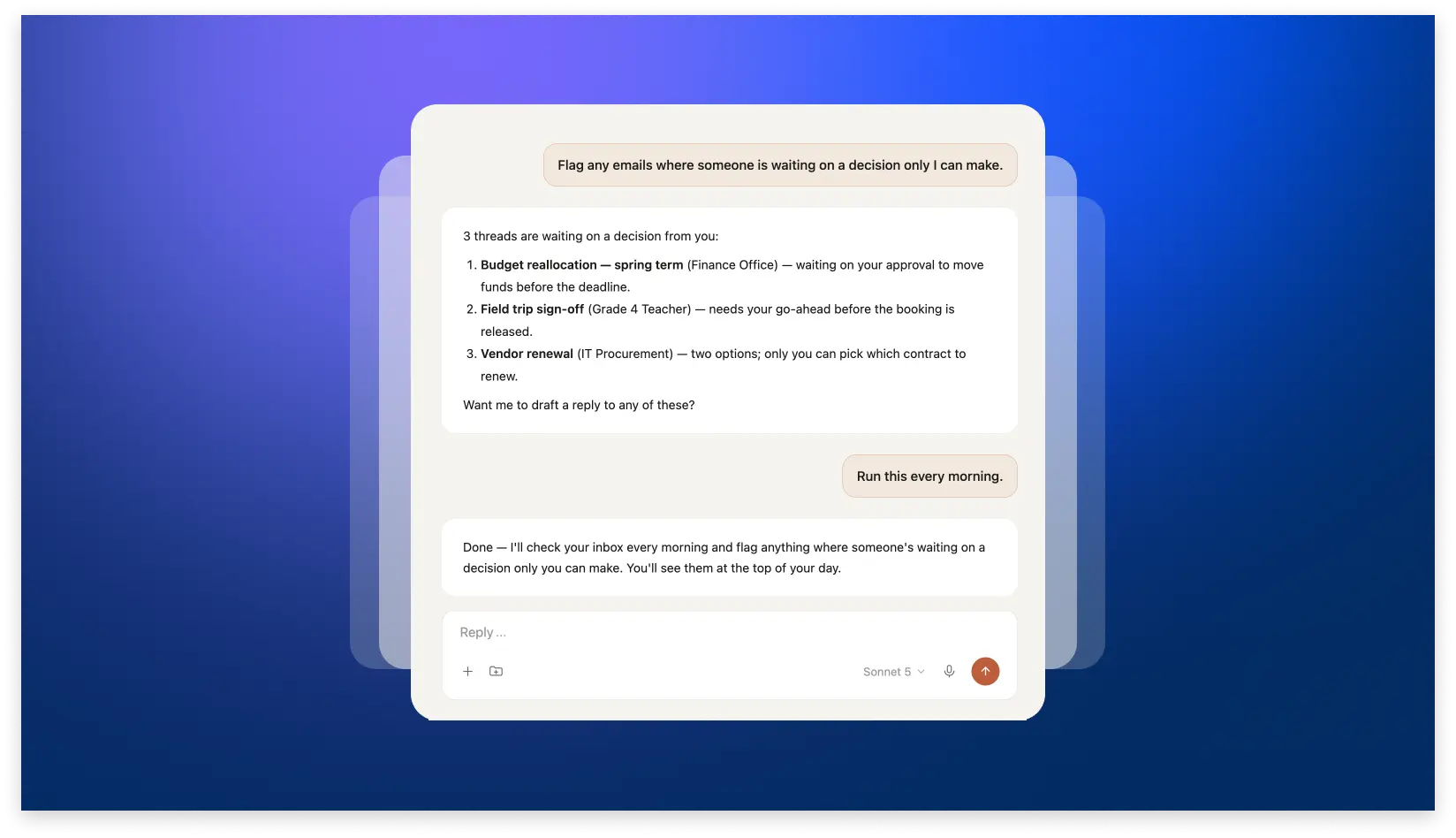
This becomes even more useful with meeting notes. Email tells you what was written; meeting notes tell you what was decided out loud. Ask the agent to pull both:
- "Summarize everything we agreed with Acme on pricing, across email and meeting notes, and tell me who was on the last call."
- "List every open question in the Northwind thread that hasn't gotten a response yet."
Still only reading — but reading with the context already pulled together, instead of reassembling it yourself.
Teach your agent how you work
With Triage access, your agent can do more than search — it can draft, using everything it knows about you.
Shamir Mohideen is a director at a construction management firm. He gets around 200 emails a day, and used to spend an hour sorting through them to find the five that actually needed his attention. Now he comes back from an hour on the road and the drafts are waiting.
The difference is that his agent knows him. He built a set of instructions in Claude Code — how he writes to clients, how he handles different request types, which relationships need a careful touch. Spark CLI connects his inbox to those instructions. When a client email arrives, the agent knows it's a client and drafts accordingly. When a thread connects to a meeting, it pulls the transcript.
"Spark CLI has been a game changer. It's already like somebody's doing my work for me while I'm doing something else." - Shamir Mohideen
His agent also has access to his calendar, CRM, and meeting notes alongside Spark CLI — so the drafts it prepares already carry the context a human would have to go find themselves.
To get the same results, start by telling your agent how you work:
- "When emailing clients, keep the tone formal and reference our last conversation."
- "For anything from my project leads, draft a reply and flag it for me first thing."
Then open Spark, review your drafts, and send.
Create a routine so nothing slips
The first three are things you ask for one at a time. This one runs on its own.
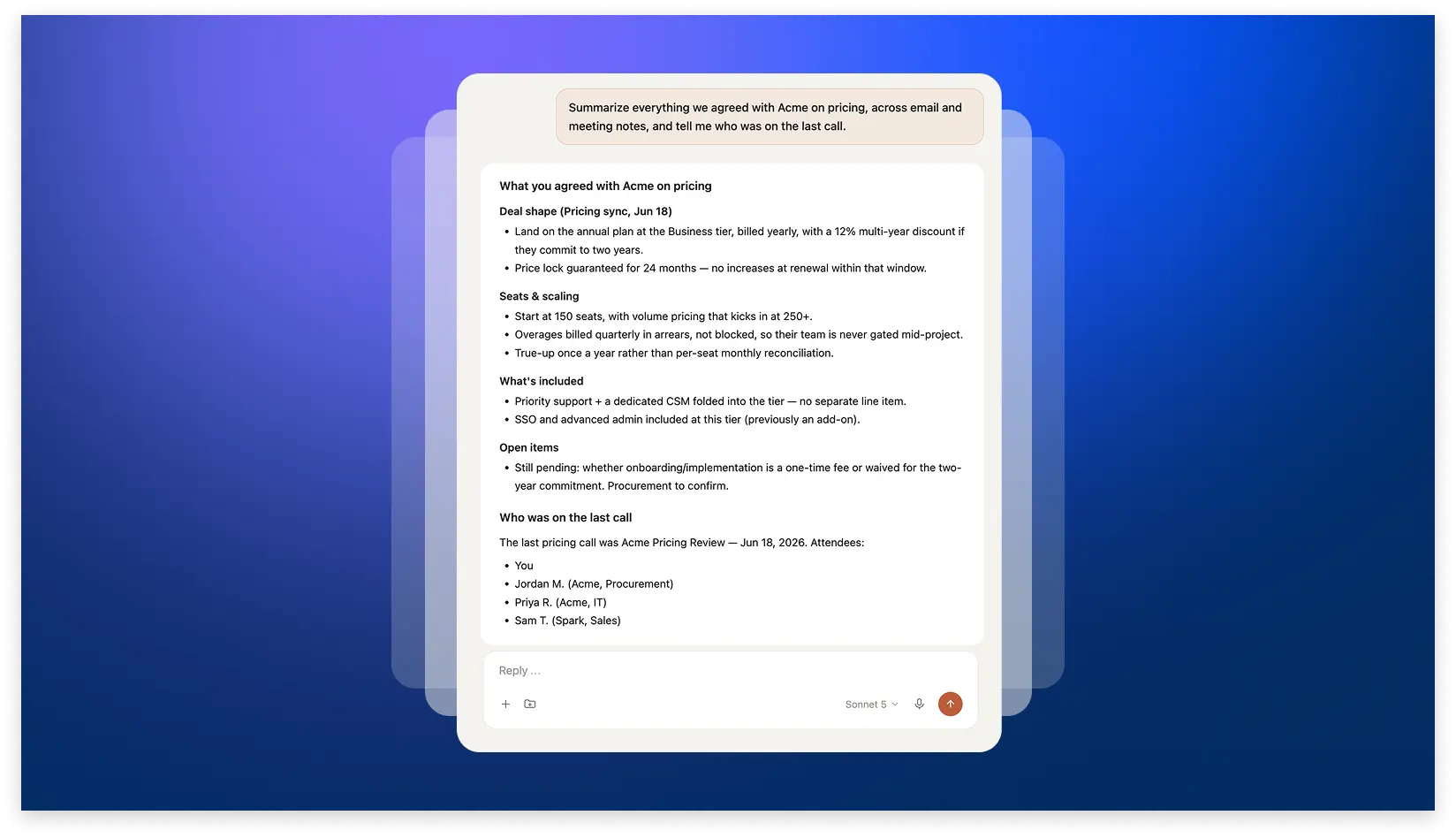
Frederick Souza works in education and gets copied on email all day. He didn't want another search. He wanted the inbox to flag the messages that actually needed a reply from him — not mail from a certain sender or with a certain word, but anything where he was the one holding things up. No filter can sort that out. So he set up his agent to make the call and mark those threads as Priority in Spark.
The difference from the earlier examples is that he doesn't re-ask. The agent checks new mail against the same question every time it runs, and the messages that need him rise to the top on their own. The ones that would have slipped past don't.
A few routines you could set up:
- "Each morning, flag anything where someone is waiting on a decision only I can make."
- "Every afternoon, surface client threads with no reply in five business days so I can follow up."
Write it out once and let your agent make it part of your weekly routine.
Transform your workday
Frederick's routine does one job on repeat. The last step is several at once — reading, drafting, and updating your other tools in a single pass.
Richard Walsh consults for several companies and connects fourteen email accounts, seven of which he watches closely. Email was his bottleneck. He'd already built automation around tools that expose a CLI or MCP — Obsidian for his knowledge base, Zoho for CRM and sprints, Sunsama for planning. The one tool he couldn't plug in was his inbox.
"Email is the choking point for me. When you introduced the CLI, that really sealed the deal. I knew this was going to be the center point of my stack." — Richard Walsh
Spark CLI changed that. Five times a day, a routine reads his seven inboxes and pulls related context from his knowledge base. It updates anything out of date, drafts replies, and syncs the matching tasks in his other tools, so every thread, record, and task stays linked. A 7:30 a.m. briefing reviews the week's tasks, rebalances his calendar, blocks his lunch and a buffer, and surfaces the emails waiting on him. The result?
"The last two weeks have been some of the most productive in the entire last year, because I no longer have to think about my inbox. It's cut at least an hour out of my day." — Richard Walsh
While Richard is a developer, tools like Claude and Codex let anyone create automations like this without code.
Start with one question
Stop after the first example and you'll still save time today. Go all the way and the inbox mostly runs itself. How far you take it is up to you.
Instead of asking your agent the occasional email question, you set up routines that keep every account moving without you watching them. Spark CLI gives the agent you already run one way into all of it. Start with one question and see what comes back.
Want a head start? Browse ready-made skills and recipes at github.com/readdle/spark-cli-skills.