Spark now supports the new capabilities introduced in iOS 27. With Siri now smarter and more personal, aware of your screen and deeper context from Spark — you can manage your emails and calendar more easily. Catch up on a thread, manage your inbox, or update your calendar using just your voice. And Spark adapts to fit any screen you're working on, so the app looks and works great wherever you use it.
Imagine you're in the car, hands on the wheel, and you remember there's an email thread you need to catch up on before the call. Normally, that means waiting until you're back at a desk. On iOS 27, you just ask.
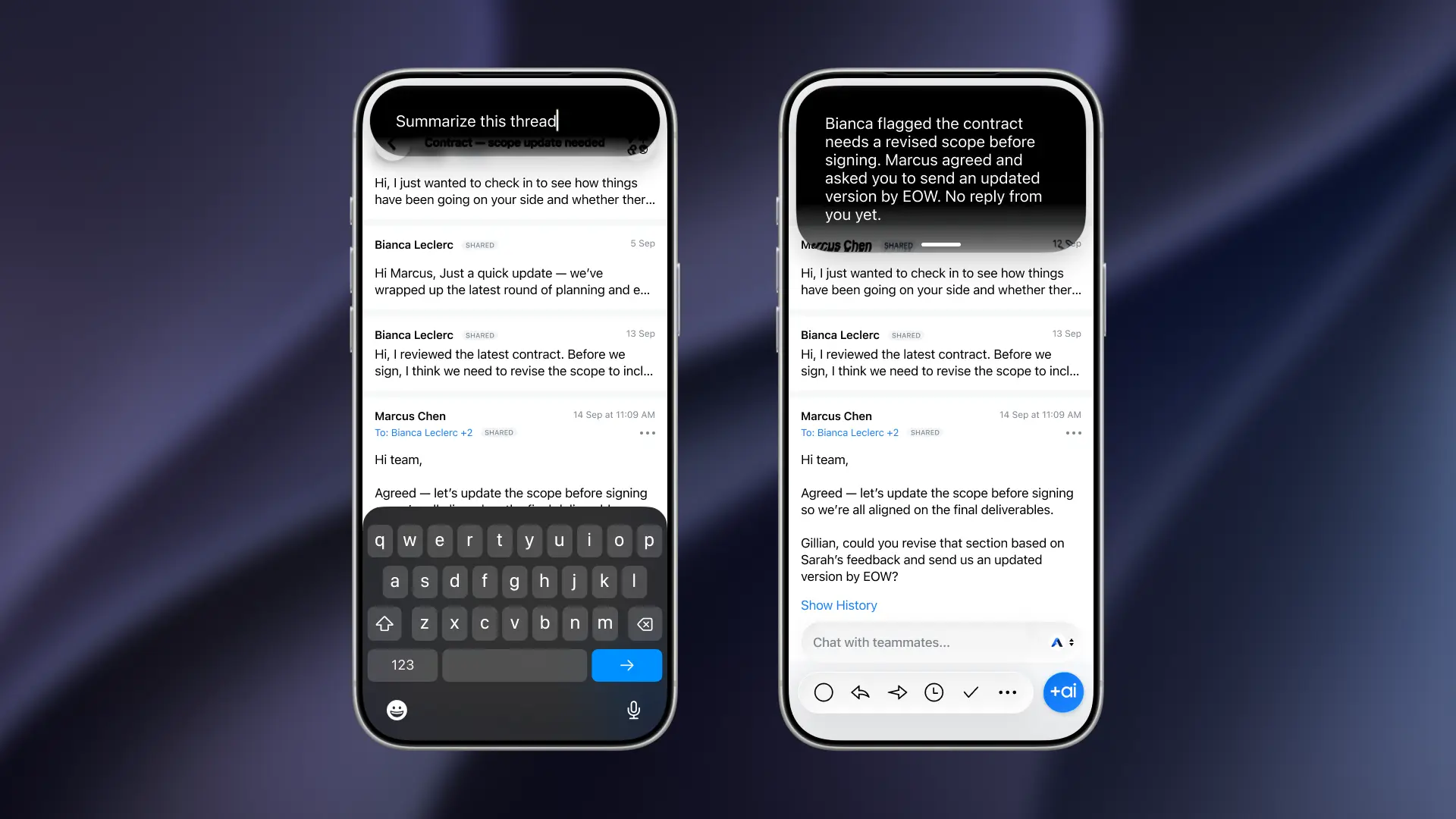
"Hey Siri, summarize this open email thread"
Siri reads back who's in the thread, what they said, and what's still unresolved. You reply by voice. You ask Siri to move a 3pm meeting to 4. You have to archive two emails you already know you don't need. You arrive with a cleared inbox, a rescheduled calendar, and both hands still on the wheel.
This is Siri becoming more capable and more personal — making your commute productive in ways that weren't possible before.
Siri sees what you're looking at
Spark has worked with Siri and Shortcuts for a few years. You could already trigger certain actions by voice. But Siri lacked on-screen context — it could follow an instruction, but had no idea which message you meant, couldn't read what was on screen, and had no access to your Spark calendar at all.
iOS 27 brings powerful AI capabilities to Spark. Siri now reaches into Spark to get your personal context — the message you're reading, the rows in your inbox. When you say "archive this one," it knows which one. When you say "Who else is on this thread?" you get the actual participant list from the email itself.
What you can do, hands-free
Understand your inbox without reading it. Ask Siri to summarize the thread you're looking at and get the key context — who said what, what's unresolved — without scrolling. Useful any time your eyes or hands are busy.
Clear your inbox by voice. Archive, delete, mark as read, pin, flag as junk — on the message you're reading or a row you can see in the inbox list. Say "archive this one," or "delete the one from Marcus," and it's done.
Reply without typing. Dictate a reply, a reply-all, or a forward in your own words. Siri sends it from the right account to the right message, without the keyboard.
Your calendar, voice- and Shortcut-ready
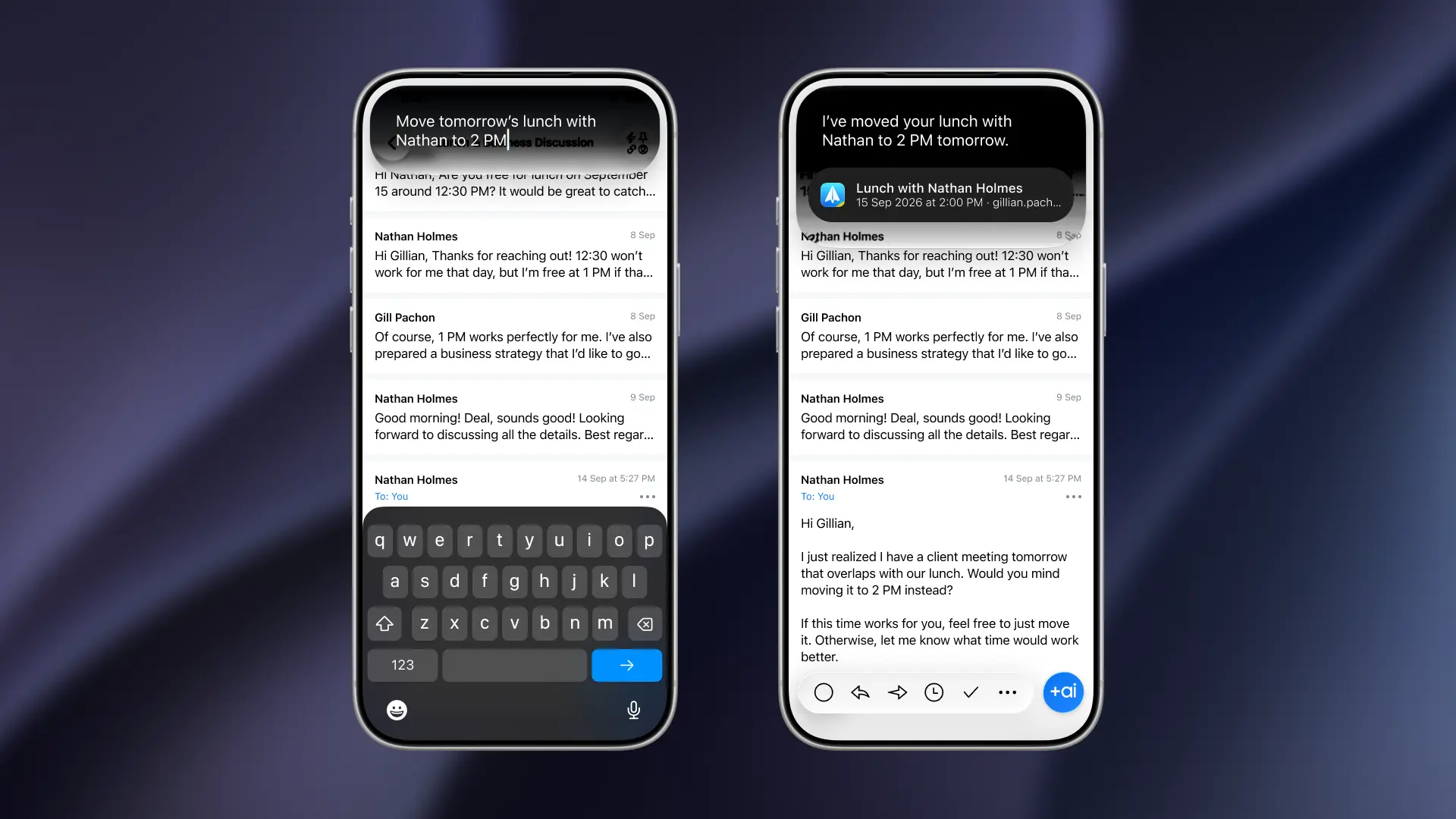
For the first time, Spark's calendar events are exposed to Siri, Shortcuts, and Spotlight. You can create, update, and delete events without opening the app.
"Hey Siri, schedule a call with the team tomorrow at 2pm" — it's in Spark Calendar, invites sent.
"Move my 3pm to 4" — done before you've parked.
"Cancel Friday's standup" — gone.
Shortcuts can automate your recurring tasks too. Your calendar keeps working in the background, boosting your productivity without the need to open the app each time.
A layout that fits wherever you're working
iOS 27 introduces free window resizing for iPhone Mirroring on Mac — drag to different sizes or aspect ratios instead of being locked to fixed proportions. Spark now supports this: the layout adapts to whatever size or shape you resize the window to, with no cramped or wasted space.
What you need
Siri on-screen awareness requires an iPhone 15 Pro or later (or an iPad with an M-series chip), iOS 27 or later, and Apple Intelligence switched on and set up in a supported region and language. Enable Siri access for Spark in Settings → Apps → Spark → Apple Intelligence & Siri.
 The Spark Team