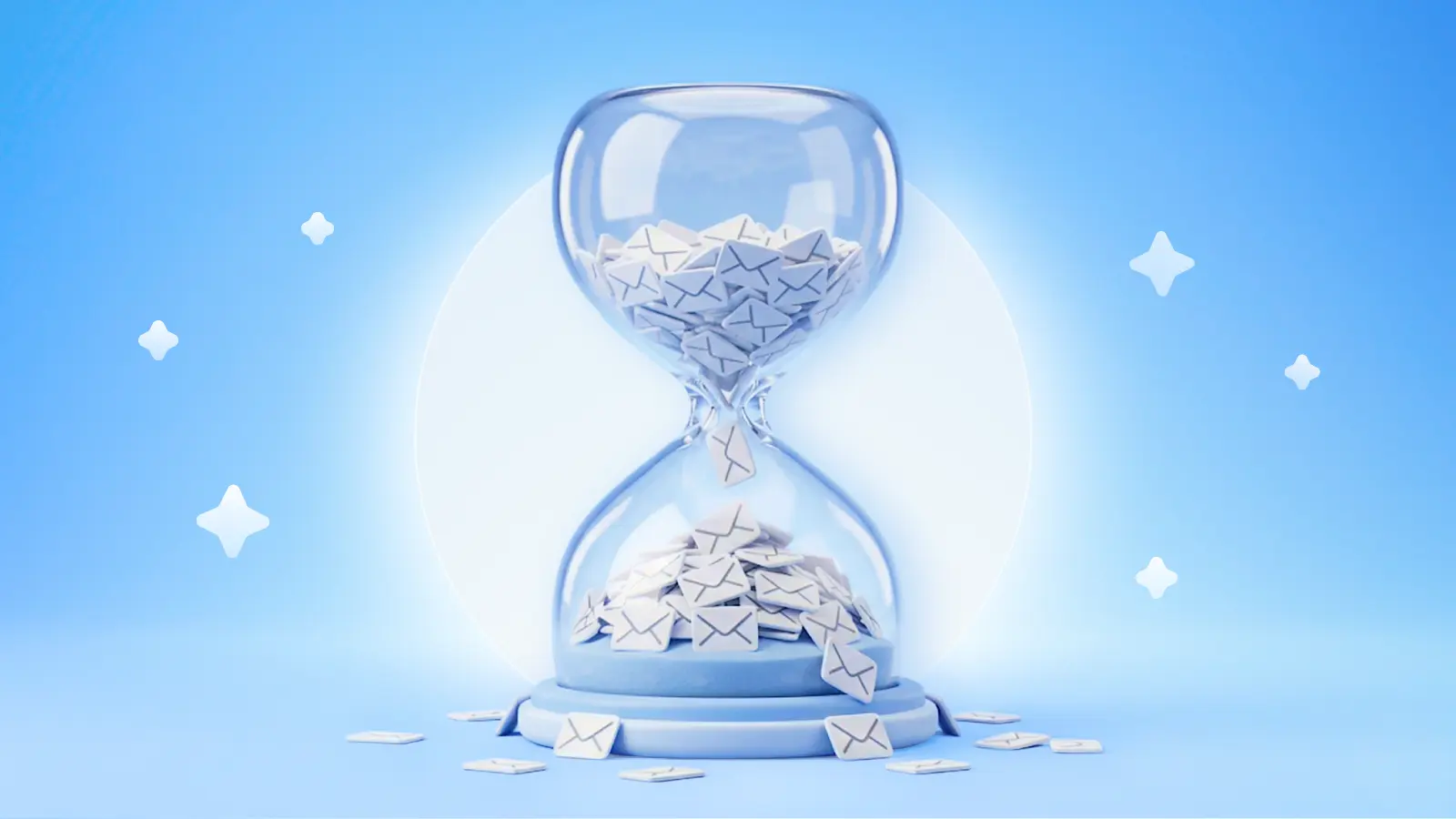
It's the productivity hack everyone loves to repeat: if an email takes less than two minutes to handle, do it now. Don't defer it. Don't let it sit in your inbox. Just knock it out.
Sounds productive, but when you actually apply the two-minute rule, the results aren’t always great. A colleague asks for a file — thirty seconds, done. A client writes to confirm a meeting time — fifteen seconds, easy. A vendor needs an invoice approval — one minute, you think, but then you notice there's an issue, so you quickly write to accounting. You're flying through your inbox, though, feeling efficient, and suddenly accounting has written back, you're replying to the vendor, and before you know it they're back with a quick follow-up. You get to that email, too.
Then you look up. It's already mid-morning. You've been handling "quick" emails for over an hour, and you haven’t touched the proposal you planned to draft before lunch. The two-minute rule didn't fail, but it certainly didn’t make you your most productive.
The rule made sense — for a different era
David Allen introduced the two-minute rule in his bestselling book Getting Things Done as a way to prevent tiny tasks from clogging your to-do list. The logic was sound, which is why people love to repeat it: if something takes less time to do than to track, just do it.
But the book was published in 2001. Allen’s two-minute rule examples are about managing paper memos on an assistant's desk — a far cry from seeing the unread count tick up every time you check your phone.
Today, the average professional receives over fifty emails a day. Many support teams, sales reps, and managers see well over a hundred. What worked in theory has become unsustainable.
Where the two-minute rule falls apart
Out of fifty-plus emails a day, many can technically be done in "under two minutes." The problem is they never arrive at the same time. They trickle in hour by hour, each one pulling you out of your tasks. And responding to them is extremely seductive — a quick hit of productivity when your real work is slow going.
But the consequences are real. Research from the University of California Irvine has found that after being interrupted, it can take up to twenty-five minutes to resume the original task. So every "two-minute" reply doesn't cost you two minutes. It costs twenty-seven. And that’s before considering the tasks you think will take two minutes, but really take fifteen.
How Interruptions Affect Your Work
Study participants rated how they felt on a scale of 0-20 (higher = worse):
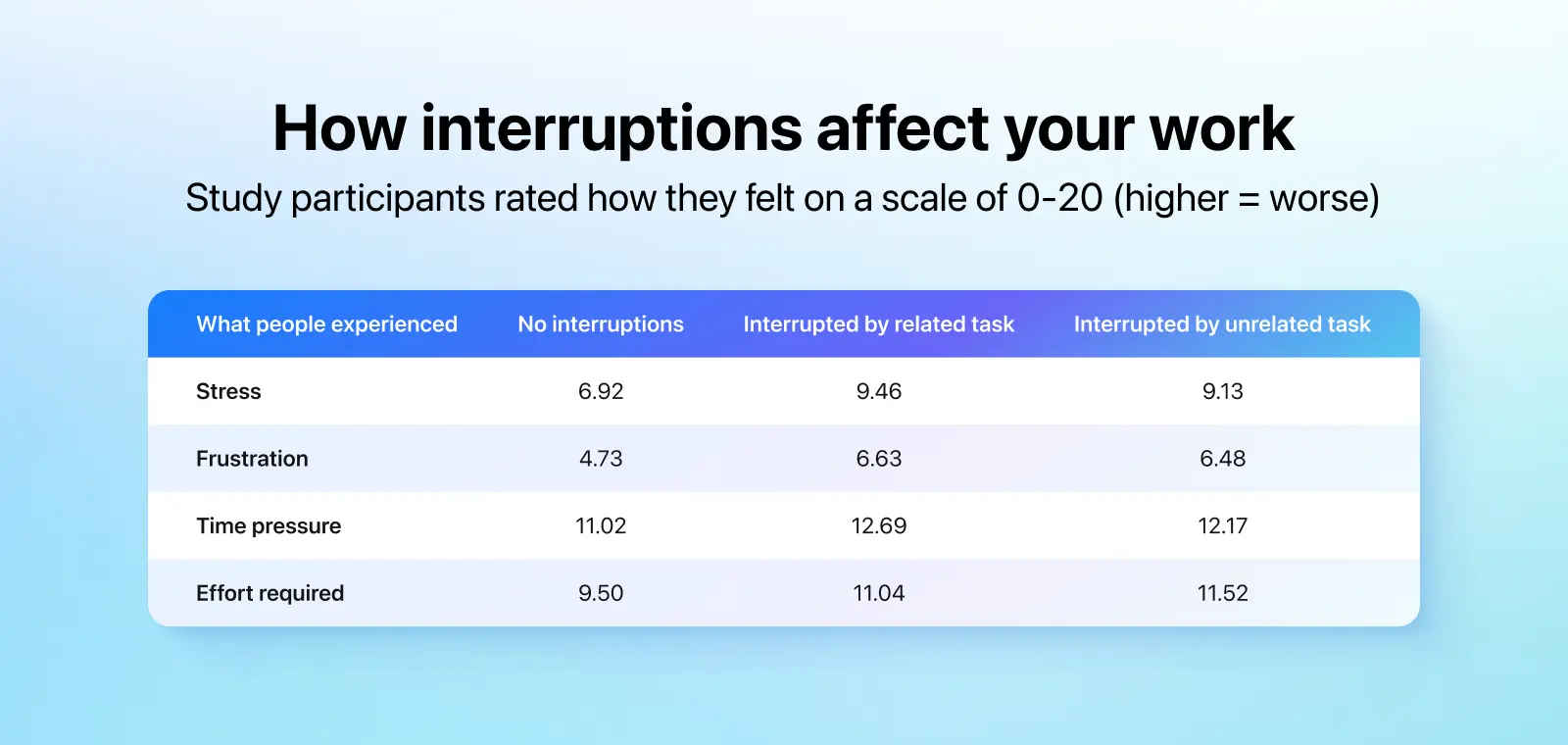
Source: Gloria Mark, Daniela Gudith, and Ulrich Klocke, "The Cost of Interrupted Work: More Speed and Stress" (CHI 2008)
There’s a subtler problem, too. Most email apps treat every incoming message the same. A newsletter confirmation sits alongside a note from your CEO. When everything looks equally urgent, the two-minute rule becomes a trap for misallocating your time.
Pretty soon, you’re a person who responds fast but struggles to finish anything important.
The fix: batch windows + smart sorting
The answer isn't to abandon the two-minute rule. It's to use it the way David Allen intended. We can’t process physical inboxes like in 2001, but we can apply similar principles to our modern lives. That means only using the rule during dedicated triage windows, like Allen advises. It also means letting your mail app handle some housekeeping for you.
Let your email app pre-sort before you even look
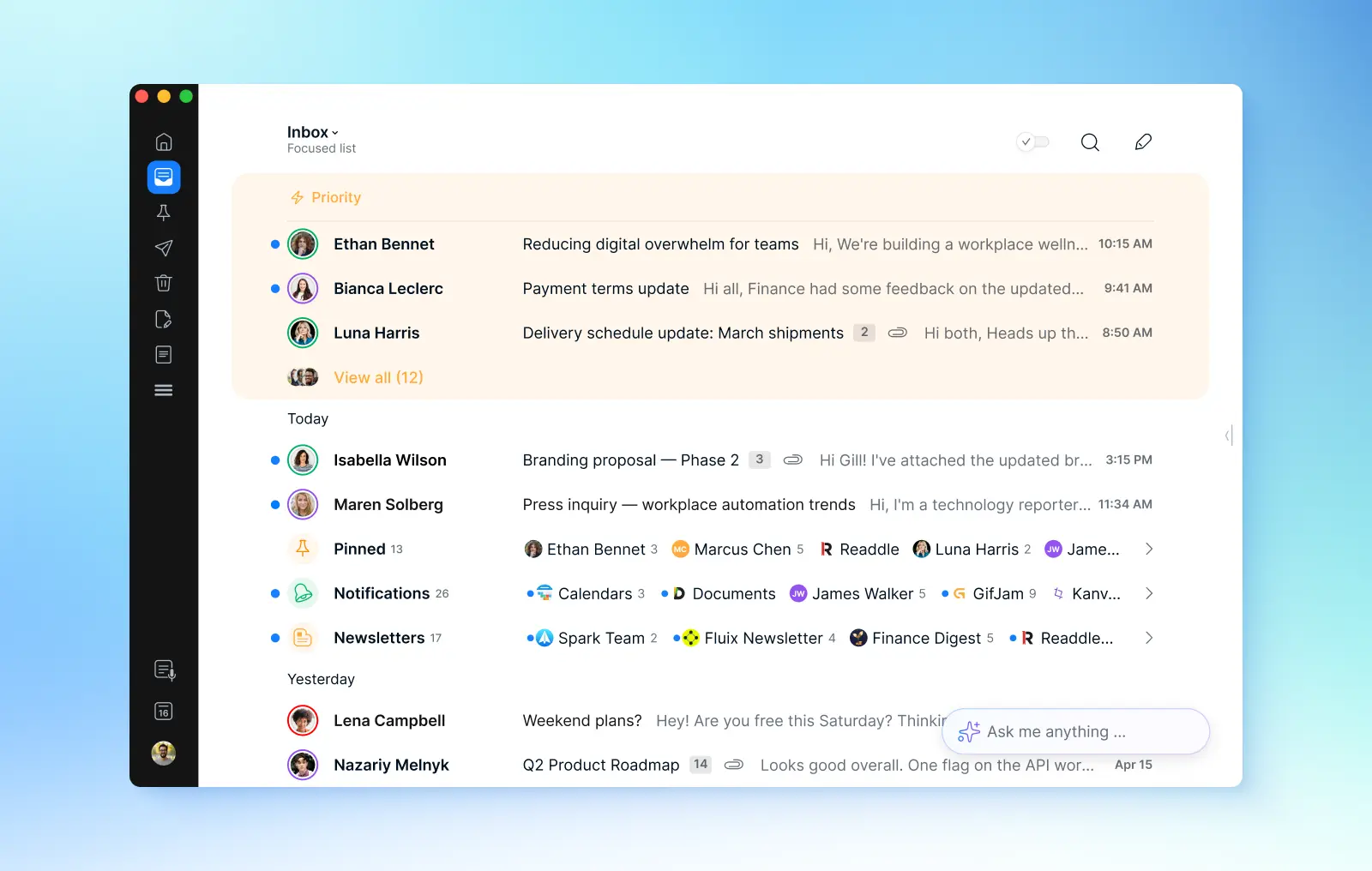
Spark's Smart Inbox automatically organizes your messages into categories: personal emails sent by real people, notifications, and newsletters. Instead of scanning sixty messages to find the ten that matter, you see only what's relevant.
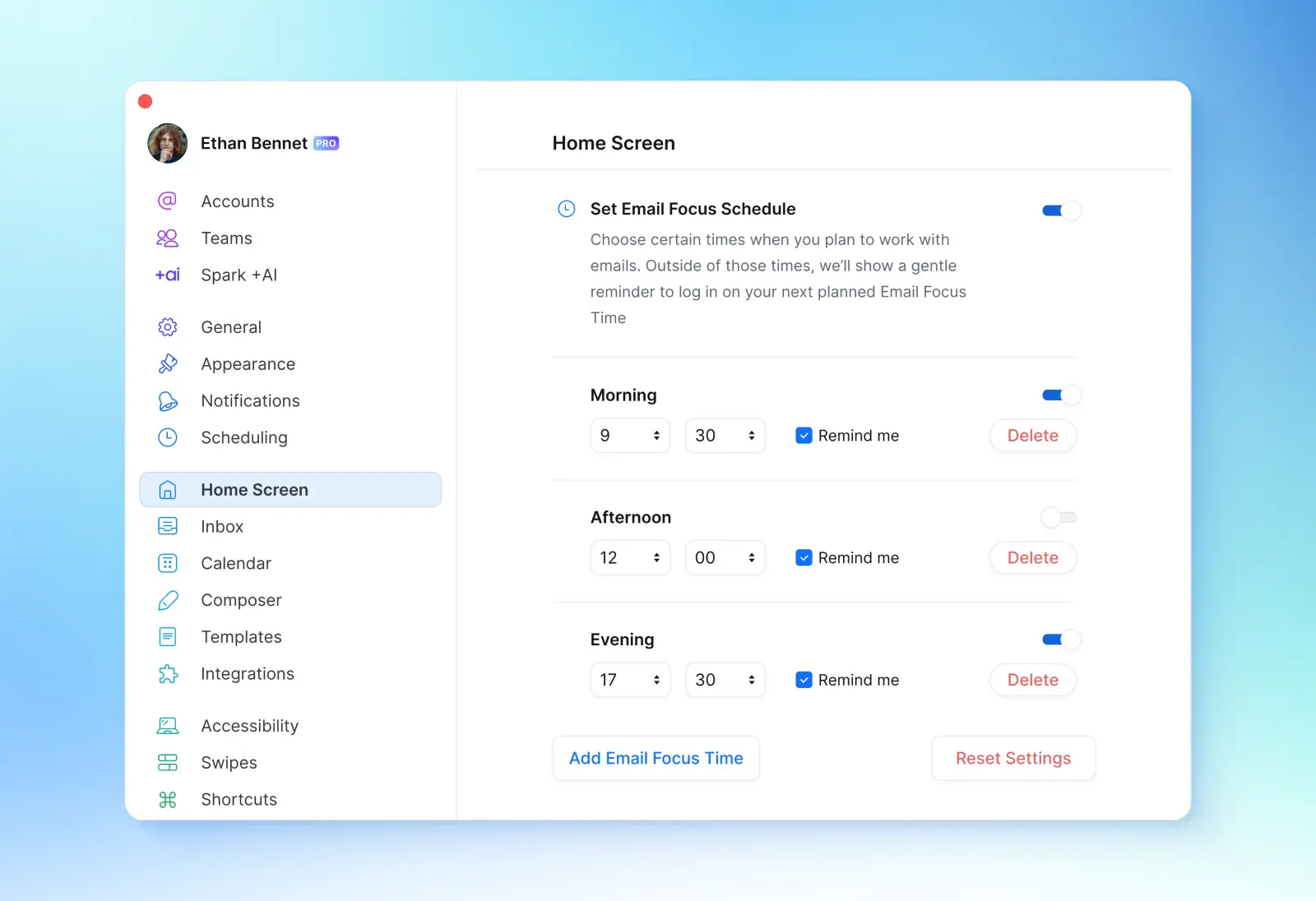
Set two or three email triage windows
Maybe 9:00–9:30 a.m., 1:00–1:30 p.m., and 4:30–5:00 p.m. Set a timer, and stick to it. During these windows, scan what's come in and handle anything that genuinely takes under two minutes. Outside these windows, let your inbox stay closed.
Use priority status for true urgency
The obvious objection: "But what if something urgent comes in?" Spark's Priority Notifications feature solves this. You designate a short list of VIP contacts — your boss, key clients, direct reports — and only their emails trigger notifications. They’ll also always appear at the top of your inbox. Everyone else can wait. You're still selectively reachable, which is what most roles actually require.
For emergencies, use a different channel
If something is truly time-sensitive, your team should know to call or message you directly. Email was never the right tool for emergencies anyway.
Setting it up
The initial setup takes about ten minutes in Spark. Turn on Smart Inbox so emails automatically sort into categories. Add your critical contacts to your priority list — typically five to ten people whose messages you can't delay. Then go to settings and turn on Priority Notifications.
Also take time to schedule your triage windows with Focus Schedule if you’re on desktop so your Home Screen won’t distract you.Then stick to your windows and let your device’s Focus Mode silence everything in between.
It also helps to update your email signature. Something like, "I check email at 9 a.m., 1 p.m., and 4:30 p.m. For anything urgent, reach me on Slack or by phone."
The first week will feel uncomfortable. But most "urgent" emails reveal themselves as perfectly patient when they sit for two or three hours.
The real shift
The two-minute rule was never wrong. Its lazy application — as a productivity hack meant to be run all day, on every email, without any boundaries — breaks it, though.
When your inbox is pre-sorted and your triage windows are set, the rule becomes powerful again. You handle quick tasks decisively during focused windows. You protect deep work the rest of the time. And with Priority Notifications, you stay responsive to the people who actually need you.
Your inbox doesn't get to set your schedule. You do.
 The Readdle Team