Rescheduling is routine. What makes it go smoothly is doing it early, saying why in one line and offering specific new times so the other person doesn't have to start the scheduling over.
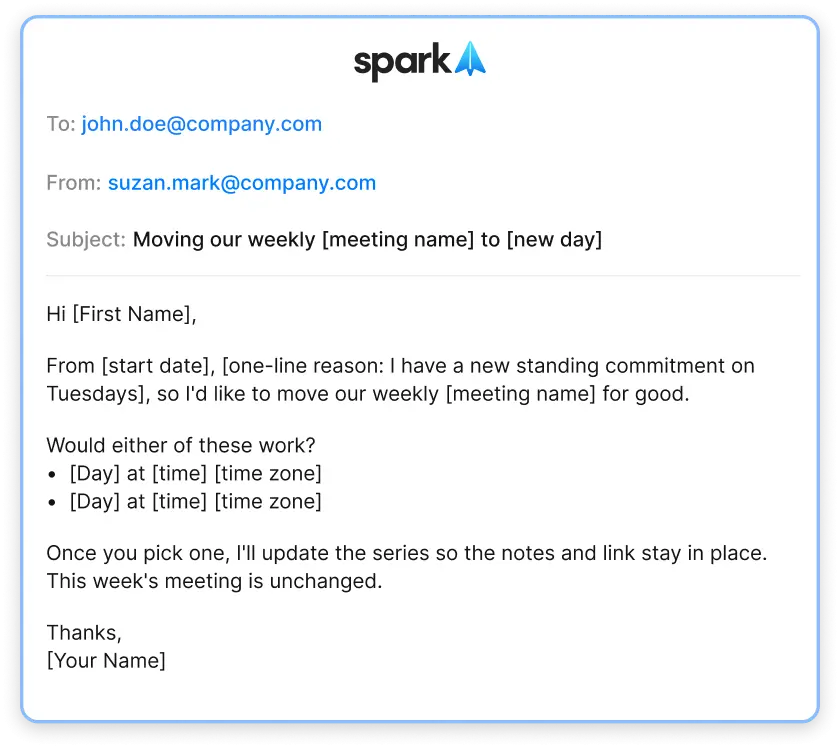
General reschedule meeting email
Subject: Rescheduling our [meeting name] on [original date]
Hi [First Name],
I need to move our [meeting name] on [day, date] at [time]. [One-line reason: a conflict came up / I'm travelling that day.] Sorry for the change.
Would any of these work instead?
- [Day, date] at [time] [time zone]
- [Day, date] at [time] [time zone]
- [Day, date] at [time] [time zone]
If none suit, send me a couple of times that work for you and I'll make it happen.
Thanks for your flexibility,
[Your Name]
Rescheduling at short notice, with clients or someone else's meeting
Last-minute (same day)
Subject: Need to move today's [time] meeting
Hi [First Name],
Apologies for the short notice — [brief reason: an urgent issue has come up] and I can't make our [time] meeting today.
Could we move to [time tomorrow] or [alternative]? I'll send an updated invite as soon as you confirm.
Sorry again for the inconvenience.
[Your Name]
Client or external meeting (more formal)
Subject: Request to reschedule: [meeting name], [original date]
Dear [First Name],
I'm writing to ask whether we could reschedule our meeting on [day, date] at [time]. [Reason], and I want to make sure I can give our discussion the attention it deserves.
I'm available at the following times:
- [Option 1]
- [Option 2]
Please let me know which suits you, or suggest an alternative. I apologize for any inconvenience.
Kind regards,
[Your Name]
[Title], [Company Name]
Moving a meeting someone else organized
Subject: Re: [meeting name] — could we move it?
Hi [First Name],
I've just realized I have a conflict with [meeting name] on [day] at [time]. Would it be possible to move it?
I'm free [option 1] or [option 2]. If it's easier to go ahead without me, I can send my input on [topic] beforehand instead.
Thanks,
[Your Name]
How to politely ask to reschedule a meeting
- Act early. As soon as you know, send it. Aim for 24 hours' notice or more; every hour makes it easier to accept. For same-day changes, a quick call or message alongside the email helps. If you'll be away for several days, set an out-of-office reply too.
- Subject line. Name the meeting and the original date so it's instantly clear which one is moving.
- A short reason. One line is courteous; you don't need to justify it in detail or share personal reasons. If you're off ill, a short sick day email to your team covers the rest.
- Specific alternatives. Two or three times, with time zones. "When works for you?" restarts the whole process.
- Apologize once. A brief apology is enough; repeating it draws attention to the inconvenience.
- Update the invite. Once agreed, move the calendar event rather than sending a new invitation, so notes and links stay attached.
When the other person asks to reschedule
Reply promptly, accept graciously and pick one of their suggested times, or offer your own. Spark's Auto-Drafts can have that reply drafted, with a new time, before you even open the email.
Subject lines for rescheduling a meeting
- Rescheduling our [meeting] on [date]
- Need to move today's [time] meeting
- Request to reschedule: [meeting name]
- New time for [meeting]?
- Can we move [meeting] to [day]?
- Updated time: [meeting name]
Rescheduling mistakes that strain relationships
The biggest rescheduling mistake is cancelling without offering new times. Options show you still want the meeting; without them, the email reads as a brush-off. Moving the calendar invite without a note feels abrupt for the same reason, so send a line of explanation. Keep it to a line, though, because a detailed account reads as an excuse.
Double-check time zones before you send, since they're easy to miss and painful to fix. And if you end up moving the same meeting twice, offer to make the next time work entirely around their schedule.
Spark's Calendar shows your availability next to your inbox, so you can offer new times that actually work without switching apps.