An order confirmation answers three questions before the customer has to ask them: did it go through, what did I buy, and when will it arrive. Get those right and you prevent most "where's my order?" emails before they're written.
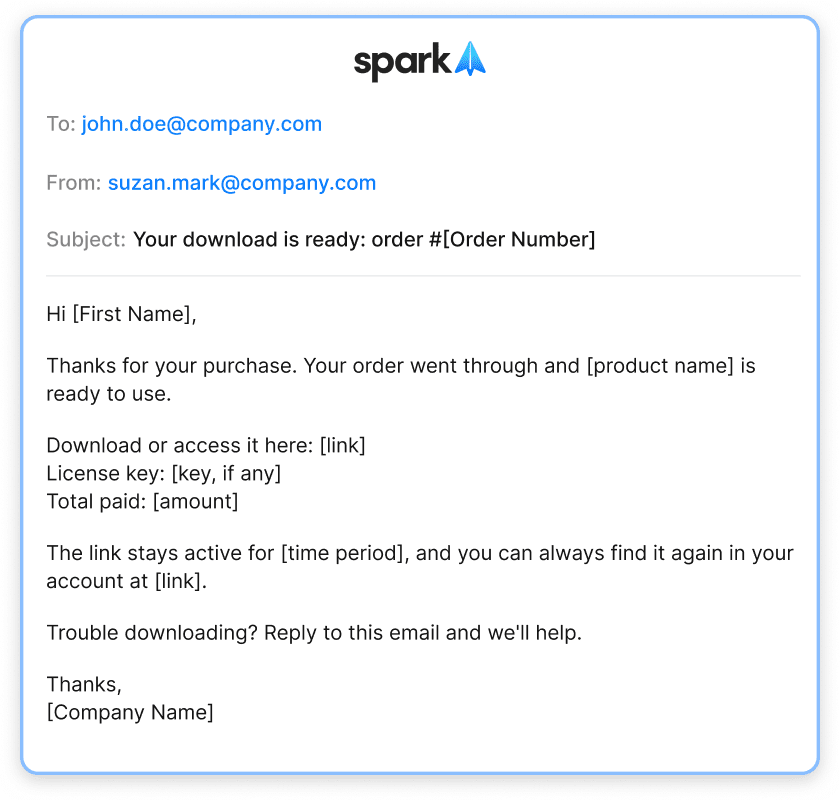
General order confirmation email template
Subject: Order confirmed: #[Order Number]
Hi [First Name],
Thanks for your order. We've received it and it's being prepared now.
Order number: #[Order Number]
Order date: [date]
Items:
- [Item name] × [qty] — [price]
- [Item name] × [qty] — [price]
Subtotal: [amount]
Shipping: [amount]
Tax: [amount]
Total: [amount]
Shipping to:
[Name]
[Address]
Estimated delivery: [date range]
We'll email you a tracking link as soon as it ships. Questions about your order? Reply to this email or contact us at [support email/phone].
Thanks,
[Company Name]
Order confirmation, shipping and cancellation templates
B2B / purchase order confirmation
Subject: Confirmation of PO #[PO Number] — [Company Name]
Hi [First Name],
Thank you for purchase order #[PO Number], received on [date]. This email confirms we've accepted it on the following terms:
- Items/services: [summary or see attached]
- Total: [amount] ([currency], excl./incl. tax)
- Delivery: [date] to [location]
- Payment terms: [e.g., Net 30]
Your account manager is [Name] ([email], [phone]). An invoice will follow on [shipment/date].
Please let us know within [2 business days] if anything above doesn't match your records.
Best regards,
[Your Name]
[Company Name]
Pre-order or back-order
Subject: Your pre-order is confirmed: #[Order Number]
Hi [First Name],
You're on the list. Your pre-order for [Item name] is confirmed.
Order number: #[Order Number]
Expected ship date: [date or month]
Charged: [now / when it ships]
We'll keep you updated if the date changes. You can cancel any time before it ships at [link].
Thanks,
[Company Name]
Shipping confirmation
Subject: Your order #[Order Number] has shipped
Hi [First Name],
Your order is on its way.
Carrier: [carrier]
Tracking number: [number]
Track it here: [link]
Estimated delivery: [date range]
In this shipment:
- [Item name] × [qty]
[If the order ships in parts: The rest of your order will ship separately, and we'll email you again when it does.]
Questions? Reply to this email or contact [support email].
[Company Name]
Cancellation confirmation
Subject: Order #[Order Number] cancelled
Hi [First Name],
We've cancelled order #[Order Number] as you requested on [date].
Refund: [amount] to your [payment method ending XXXX]
Expect it within: [X–Y business days], depending on your bank
If you didn't ask for this cancellation, or you'd like to reorder, reply to this email and we'll sort it out.
[Company Name]
Delay update
Subject: Update on order #[Order Number]: new delivery date
Hi [First Name],
Your order is taking longer than we expected. [One-line reason, e.g., a supplier delay.] The new estimated delivery date is [date].
If that no longer works for you, you can cancel for a full refund here: [link], or reply and we'll help.
Sorry for the wait,
[Company Name]
The emails that follow an order confirmation
An order confirmation is usually the first of three or four emails, and each one should do a single job:
| When it's sent | What it must include | |
|---|---|---|
| Order confirmation | Immediately after purchase | Order number, items, total, delivery estimate |
| Shipping confirmation | When the order leaves | Carrier, tracking link, items in this shipment |
| Delay or change update | As soon as a date slips | New date, a one-line reason, an option to cancel |
| Delivery follow-up | A few days after arrival | Help with returns or set-up, then an optional review or referral request |
Keep review and referral requests for the last email. In the confirmation itself they're premature, because the customer doesn't have the product yet.
What to include in an order confirmation email
- Subject line. "Order confirmed" plus the order number. Customers search for it later.
- Confirmation first. The first line should say the order went through. That's the anxiety you're resolving.
- Order details. Items, quantities, prices and the total, broken down so it can double as a receipt.
- Delivery. Shipping address and an estimated date range. A range is more honest than a single day.
- Next step. Tell them what happens next — usually a shipping email with tracking.
- Support. One clear way to get help. A reply-to address that a real person reads beats a noreply address.
Is an order confirmation the same as an invoice?
Not always. A confirmation acknowledges the order; an invoice requests or records payment. For B2B orders they're usually separate, so see our invoice email template.
Can you include promotions?
You can, but keep them below the order details, or save them for a separate welcome email to first-time customers. In some regions, heavy marketing content changes how the email is classified, so keep transactional emails mainly transactional.
Order confirmation subject lines
- Order confirmed: #[Order Number]
- Thanks for your order, [First Name]
- We've got your order #[Order Number]
- Your [Company Name] order is confirmed
- Confirmation of PO #[PO Number]
Order confirmation mistakes that create support tickets
An order confirmation should arrive instantly; most e-commerce platforms handle this through email automation. One that turns up an hour later makes people wonder if the order failed. Put the order number in the subject line, since that's what customers and your support team will search for later, and send it from an address someone actually reads. Customers reply to confirmations with changes, and a noreply address leaves those unanswered.
Inside the email, the order comes first; upsells belong below the order details, if at all. Show the full breakdown, including shipping and tax, not just the final amount. And give a delivery date range rather than "soon", which only creates support tickets.
If replies to order confirmations land in a team inbox, Spark's Shared Inbox lets you assign each one to the right person so nothing sits unanswered. For the routine replies, such as delivery questions or address changes, Spark's Auto-Drafts prepares a draft so your team only reviews and sends